
How Setting up LinkedIn Notifications Can Boost Post Performance
When it comes to beating the algorithms, early engagement (we’re talking the first hour) on LinkedIn is key. The more engagement your post gets straight off the bat, the more momentum it will build… like a snowball effect.
One simple way to ensure early post engagement is by utilising some of your best brand ambassadors: your team. But when they’re preoccupied by the daily hustle (and obviously
not
scrolling social media under their desks 👀) - how can you make sure they don’t miss the opportunity to boost your post reach?
By setting up LinkedIn notifications, employees will be notified of any activity related to your LinkedIn business page, including when there’s a new post to jump on. It’s easy to do and is a helpful step for ensuring that all-important early post engagement.
Watch the video below to see how to set up LinkedIn notifications for your business page:
How to set up LinkedIn notifications for your business page
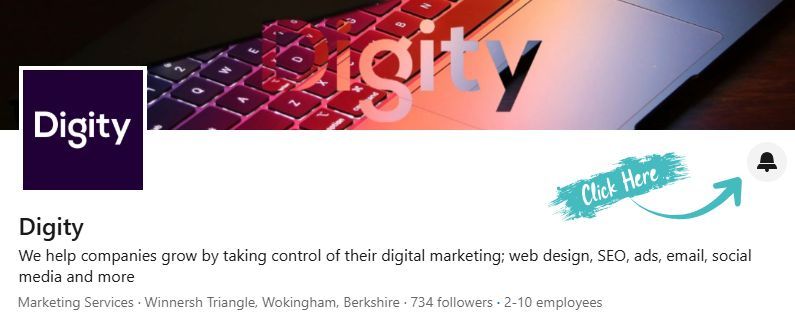
- Login to LinkedIn and
find your Business Page (if you are an admin of the page, you will need to click ‘view as member’)
- Find and click the bell icon in the top right of the header (under the main image)
- Select ‘All’ and save
- Wait to receive a notification of a new post, and then go and support your business and team with a like, share or comment (or all of the above)!
What else can I do to improve my LinkedIn post performance?
As well as early engagement, here are a few additional tips for maximising your LinkedIn performance:
- Repeat content - yep, you heard that right. Social algorithms love repetition (especially if the post did well the first time around).
- Utilise carousels* - the swipe-through style typically goes down extremely well on LinkedIn.
- *Top Tip: To post as a carousel on LinkedIn, you will need to save the media as a PDF and schedule/publish as a ‘document’.
- Avoid external links in the caption: LinkedIn will prioritise posts that aren’t trying to take people off platform. Instead, place links in the first comment.
Not finding the time to effectively manage your social media presence? Let's talk about how our team can help lighten the load.
This blog post was written by:
WHAT DO YOU WANT TO ACHIEVE?
Let's find your growth opportunity
Tell us where you want to take the business and we'll help you identify where marketing can make the biggest difference.